In 2026, AI image generators have become more advanced. Instead of waiting several minutes for your expected result, AI image generator platforms can generate and edit images in a few seconds. Real-time AI image generators are saving time and resources for marketers, designers, and e-commerce sellers who need easily generated images for their businesses or products.
Want to get started and create images with the best platform, using the most suitable colors, compositions, specific editing details, visual concepts, and even more for your ideas and projects? Then this article about the top real-time AI generators for visual representation is for you.
Here is a breakdown of the best 5 real-time AI image generators in 2026:
|
Platform |
Main features |
Suitable for |
|
Krea.ai |
AI image and video generation, AI 3D generation, AI fine-tuning, AI image upscaler, AI image enhancements, extensive color shades, editing adjustments, and more |
Photographers, artists, content creators, architects, illustrators, entrepreneurs, developers, and other AI-powered content creators |
|
Flux |
Background removal, lighting, color shades, editing tools |
Visual creators, artists, designers, photographers, and other creators |
|
EcomShot |
AI-generated images, background removal, enhancements, and other functions |
Photographers, designers, fashion stylists, food & beverage specialists |
|
Midjourney |
AI-powered tools for adjustments, lighting control, color shades, and editing |
Content creators, marketing specialists, photographers |
|
Runway |
AI-generated images, video editing, expanding tools, motion tracking |
Content makers, filmmakers, video editors, digital marketing specialists |
#1 Krea.ai
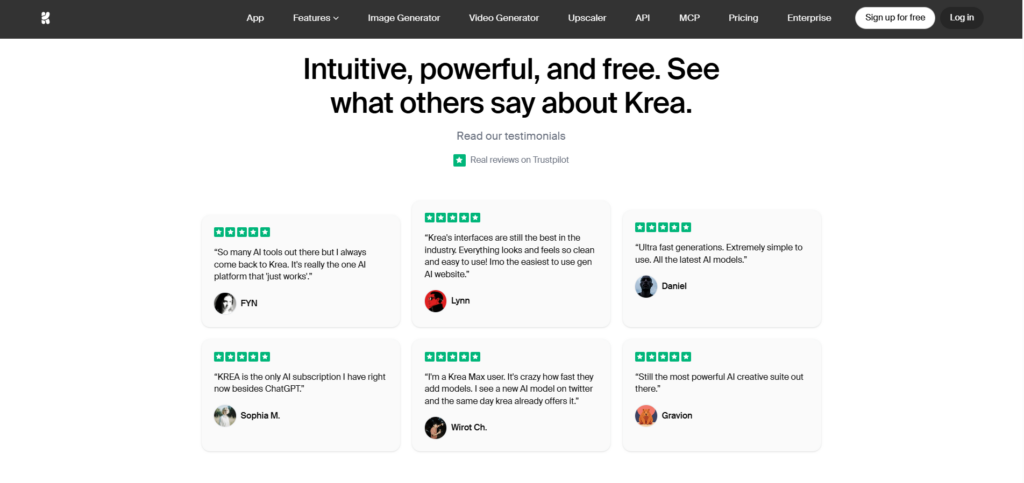
Krea.ai is one of the best and most powerful AI-generating platforms with a variety of styles and adjustments. It is this easy to get real-time AI images in 2026 with creativity and exposure to different tools.
Main elements: Industry-leading AI inference platform generating 4K native images and video content, with more than 1000 styling ideas, 64 models, real-time canvas, prompt-to-3D features, visual representation upscaling up to 22 pixels, and other creative features.
Why It Is Our Top Pick
In Krea.ai, you can easily write the description of the text, including details, colors, composition, and other elements that you want to include. You can also easily generate images by uploading an image or providing instructions based on your preferences, chosen settings, and object details.
Within a second, you can quickly generate images, illustrations, 3D renders, and digital art. With only writing prompts, you can generate images based on your preferred style, composition, lighting, and much more.
Pros
- Real-time customization: The platform offers flexible styles, customizable looks, unique layouts, formats, shapes, editing tools, background removal, compositions, and visual ideas that work best for your projects and images.
- Editing options: You can add new details to the generated images, replace some parts, or just remove specific areas to get the result that you want.
- Upscaling tools: Before downloading or already using the generated images in various formats, you can quickly enhance clarity, sharpness, resolution, and contrast of the images.
- Available in any proportion: One of the quick and easy tools you can find in Krea is generating posts in squares, using widescreen visuals, width-to-height ratio, different proportions, and frame shapes
- Prominent AI Image generators: You can find many well-known and useful AI image generators all in one workplace. Krea 2, Flux, ChatGPT, Nano Banana, Imagen, and other platforms are available here, helping you create creative and inspiring images.
- Best for: Different professionals, including photographers, architects, animators, artists, designers, content creators, and other specialties, or users wanting to obtain real-time AI images can quickly find different ideas, presentations, banners, visual concepts, and creative features.
- Prominent brands: Different well-known brands and companies use Krea as a real-time image generator for their famous logos and designs. For instance, Samsung, Shopify, Lego, Nike, Henning Larsen, Amazon Studios, VML, McCann, Microsoft, and other famous brands are using the platform.
What’s more
- Useful features and inspiring tools for generating images
- Over 30.000.000 users from 191 countries are using the platform for their content creation
- Flexible adjustments and helpful tutorials for building images from scratch
- You can have total control of your designs, style, composition, and aesthetic representation of the visual images
- Krea 2 Large, known for generating images with realistic or cinematic backgrounds and textures
- Interesting blogs and useful articles about different AI generator topics, editing tools, visual elements, moodboards, and more
Customer feedback about Krea
- Easy and simple to use to generate images
- Guidance, assistance, and tutorials for the content materials
- Powerful and creative tools with advanced editing features
#2 Flux AI
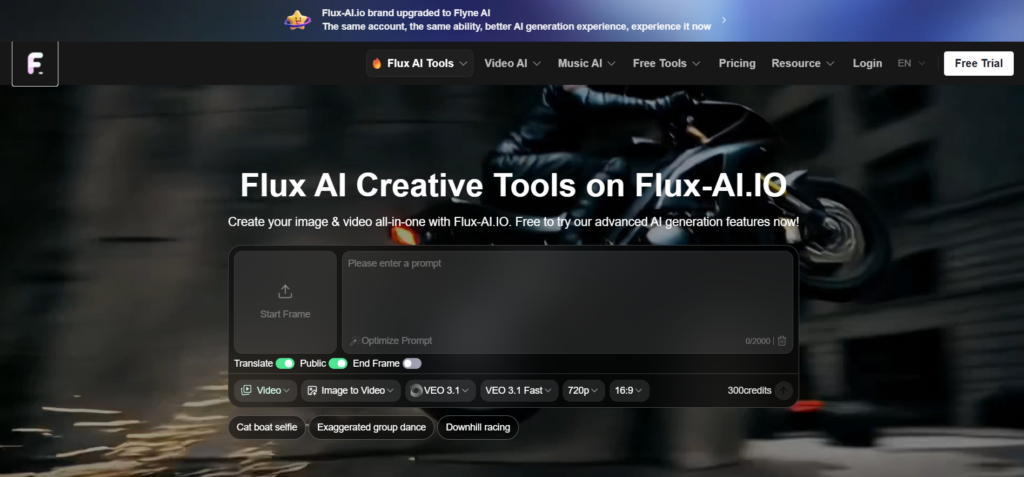
Flux AI is a platform for generating images and videos with different tools and features.
Main features: Generating images or videos by giving a prompt and writing the description of the product or the object you need to have.
Pros
- Generating options: You can generate anime images, create Pinterest visuals, and other images with different models
- Editing options: On the platform, you can edit, replace the background, remove, or make other changes
- AI Image generators: If you want to generate images or videos, you can find different AI generators, such as Nano Banana Image Generator, AI Avatar Generator, AI Product Photography, and other platforms.
- Suitable for: Visual creators, designers, photographers, developers, and other users wanting to generate images and videos.
- Customer review: Assistance and tutorials for the tools and content materials
What’s more
- Features and tools for generating visual media
- Adjustments and customization tools for editing and generating images or videos
#3 EcomShot
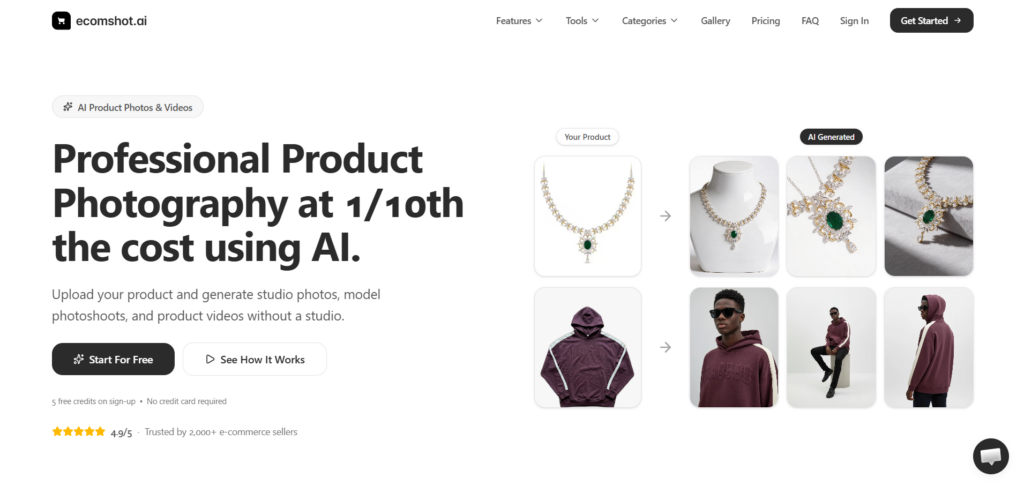
EcomShot offers various tools and features for generating product images that are similar to shots taken in a professional studio.
Key features: Creating product images and videos for AI products, photography, ghost mannequin product shots, and other features.
Pros
- Editing features: You can find AI models and images with the ability to remove the background, add layers, upscale the images, and enhance the clarity of the visual media
- Beneficial for: Users interested in fashion, food & beverages, cosmetics, and other spheres can create product images for their brands or projects.
- Feedback: Useful tools for beginners and professionals
#4 Midjourney
Midjourney is an online platform for providing a prompt and turning it into visual content.
Key elements: Generate AI content with adjustments and control over the lighting, color palette, editing, and composition.
Pros
- Editing tools: You can generate images and videos based on the given prompt, then edit, replace, and change the background of the images, add layers, apply different styles, and add character references based on your preferences.
- Animated or cinematic content: If you want to create animated images or videos, you can generate shots with
- Beneficial for: Customers creating AI-generated images specializing in media and production, advertising, technology, and other fields. Or just users aiming to create AI-powered content for personal use and companies.
- Customer feedback: Easy to use
What’s more
- Different editing tools useful for social media creators, users, and entrepreneurs
- Various adjustments and parameters available in the platform
- Cinematic or real lighting and effects
#5 Runway
Runway is an online platform providing video, image, and audio editing tools and a language model.
Key elements: Creative video and image generation, with editing and live-to-action tools.
Pros
- Tools: You can edit AI images, add animations, illustrations, colors, lighting effects, and styles to the generated visual content
- Best for: AI content makers, filmmakers, directors, video editors, digital marketing specialists, animators
- Customer reviews: Useful features and tools
What’s more
- Text-to-video editing options, realistic or animated characters based on the given reference or prompts
- Motion and movement control
Final Thoughts
Together, we have discussed the best real-time AI image generators. However, before making a decision and choosing the best option, you can have these questions in mind:
- What is the best platform offering a range of adjustment tools and features for my AI images?
- Can I edit, change details, add some parts, or just get inspired by the styles in only one platform?
These questions will help find the right answers when looking for AI image generators.